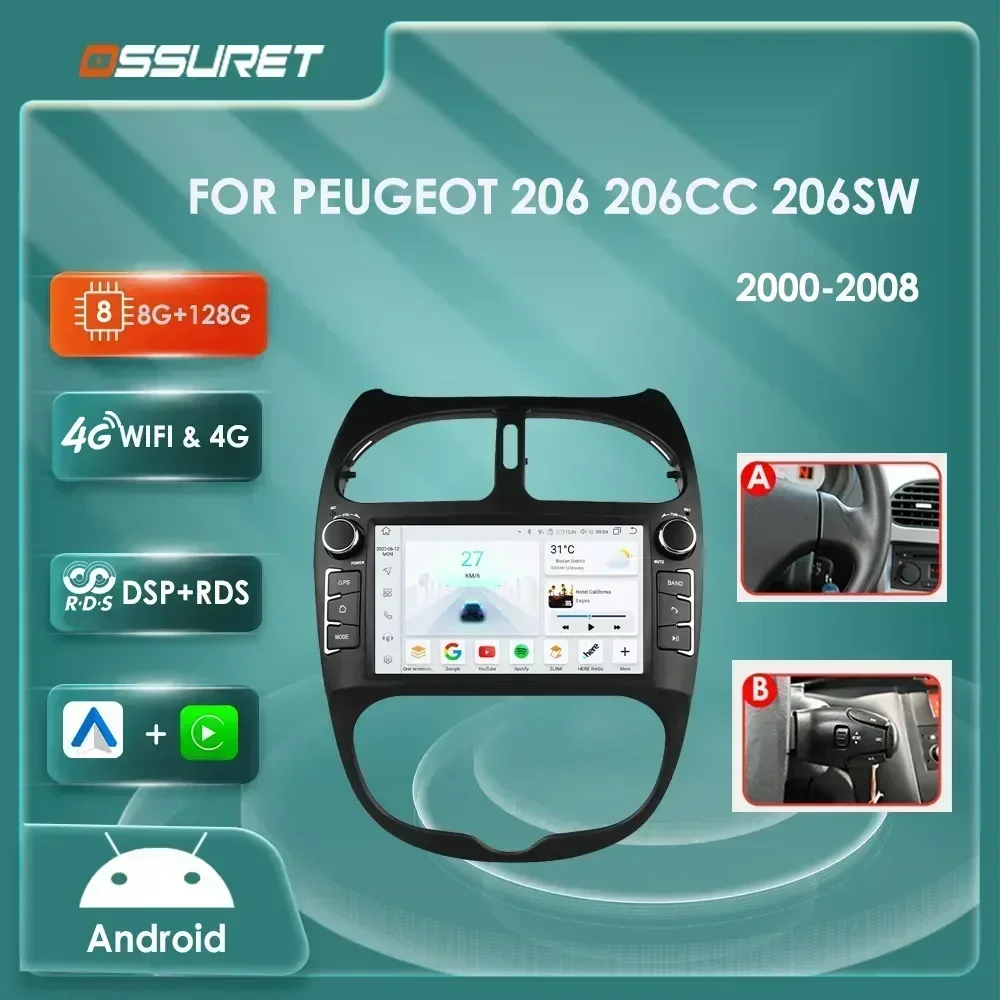
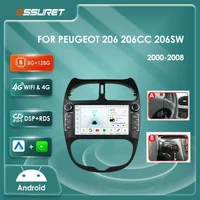
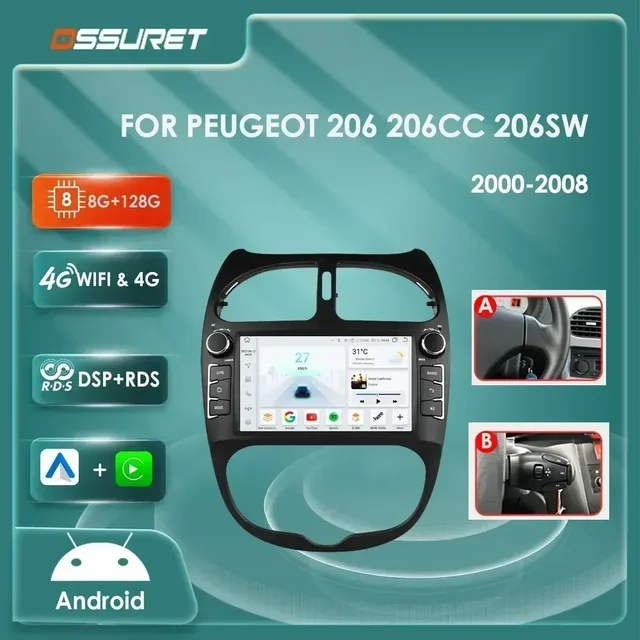
Android 12 Car radio for PEUGEOT 206 206CC 206SW 2000-2005 2006 2007 2008 Multimedia player GPS navi Video 7862 Autoradio 2din
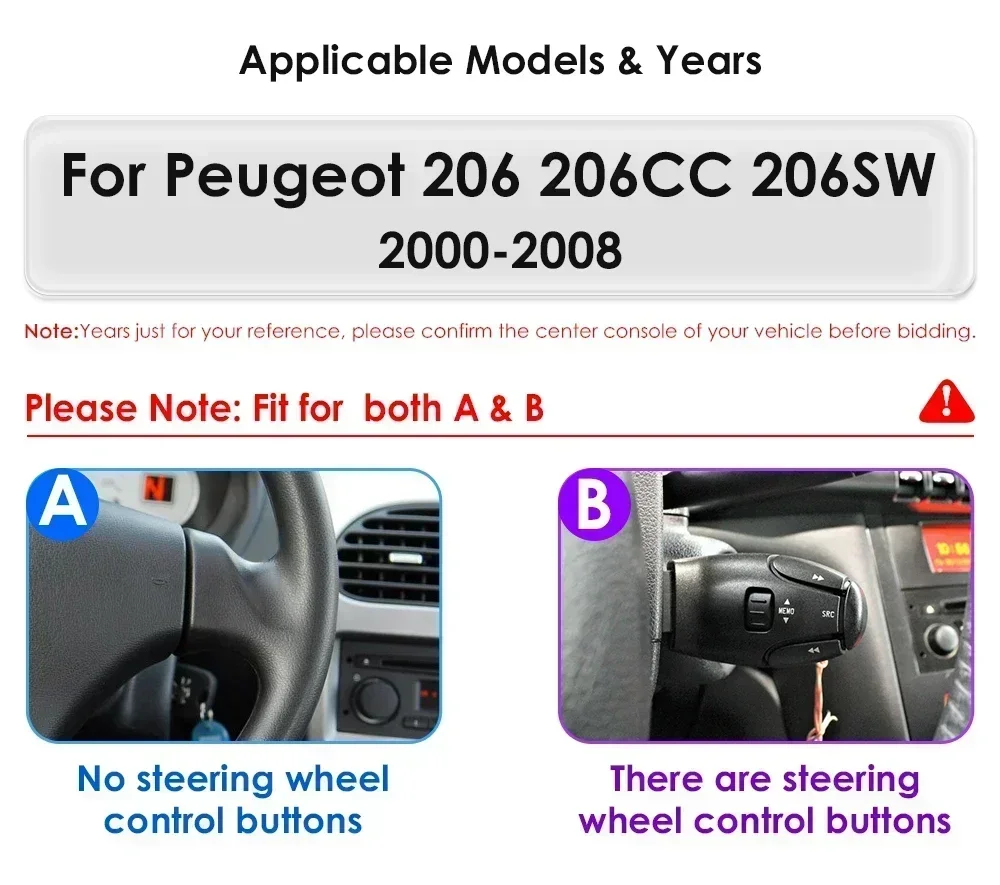
>Applicable Car Model&Years:
Fit For Peugeot 206 206CC 206SW 2000 2001 2002 2003 2004 2005 2006 2007 2008
>Basic functions:
Android 11/12 + 7inch display Screen (1024*600 Screen optional) + Quad Core 1.2GHZ (Eight core UIS 7862A 1.8Ghz / UIS 7862S 2.0Hhz optional)+ DDR3 1GB Flash (2GB/3GB/4GB/6GB/8GB optional) + 16 GB Memory (32GB/64GB/128GB optional) + WIFI (4G Network optional)+ Mirror link+ Steering Wheel Control + RDS+DSP(optional)
Product's features:
1>Personalized UI Design, common functions are integrated into the desktop,and allowing you to switch, support day and night mode;
2> Online radio: Relies on internet to search multiple channel (cover 20 countries' stations)
3>Advanced voice control: Control radio by voice, improve driving safety;
4>Carplay&Android connect (HC2 CP /S series)
5>WIFI :all of option
6>4G:S3/S4/S5/S6/S7/S8
note:the radio only support red button light.
Smart Car Infrtainment: AI Voice Control System Open safe Driving
Car Model: This unit will fit the following car model


System Parameters: Refer to the following table for specific parameter configuration

User interface:H Series(can set as 4 color type: Purple/ Dark blue / Black / Golden) included S8/ S7/ S6/ S5/ S4/ S3/ S2/ S1 version;

Extreme Performance: A new generation of new CPU architecture, equipped with Two A75,six A55,super performance release ,easy to deal with daily needs. The specific CPU model please refer to the products configuration table.
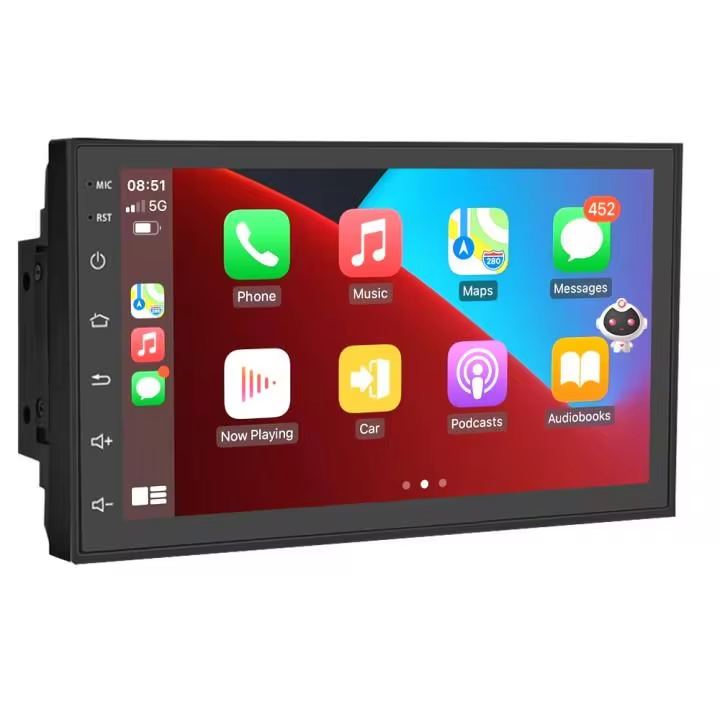
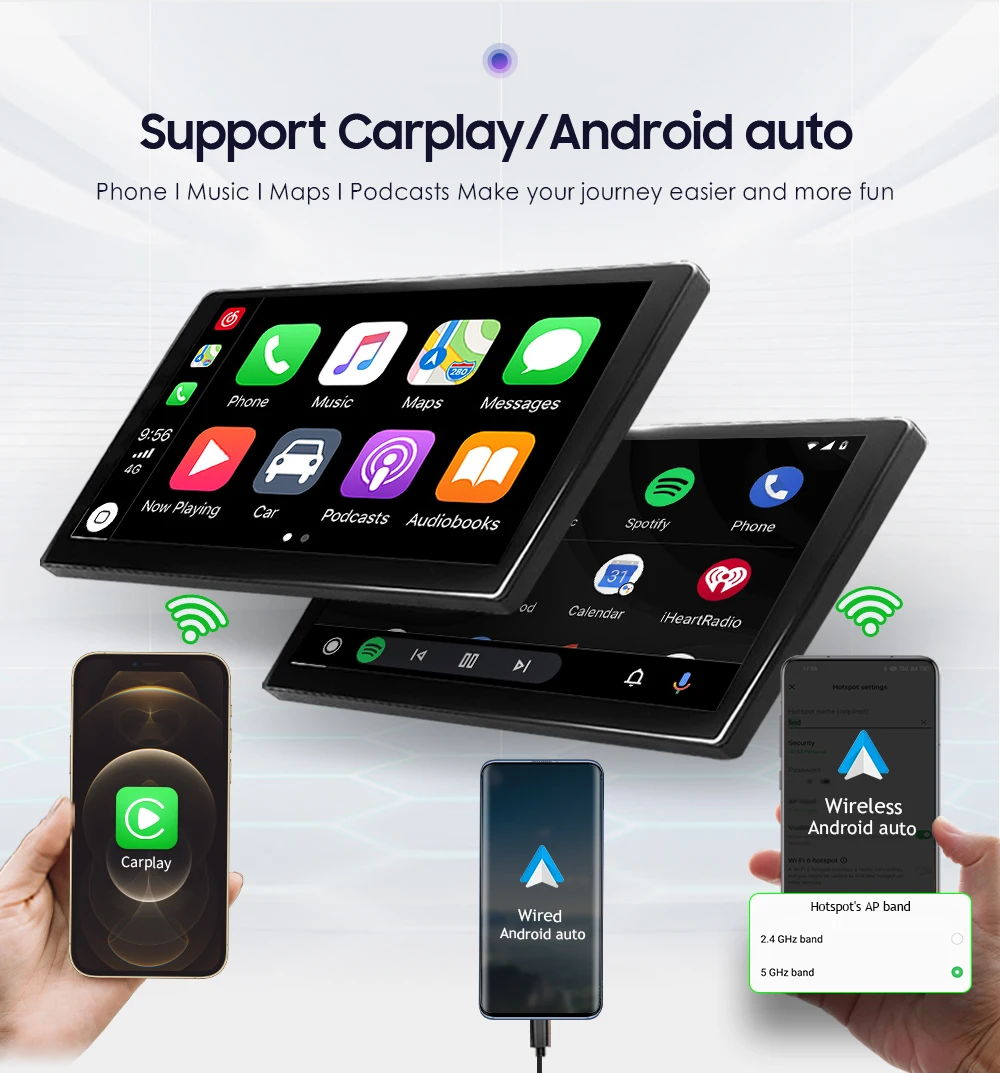
Support Carplay / Android auto: Phone / Music / Maps / Podcasts Make your journey easier and more fun.
Support wireless Carplay, wired Android Auto, and wireless Android Auto(which needs to set your phone WiFi hotspot's AP Band as 5 GHz band).

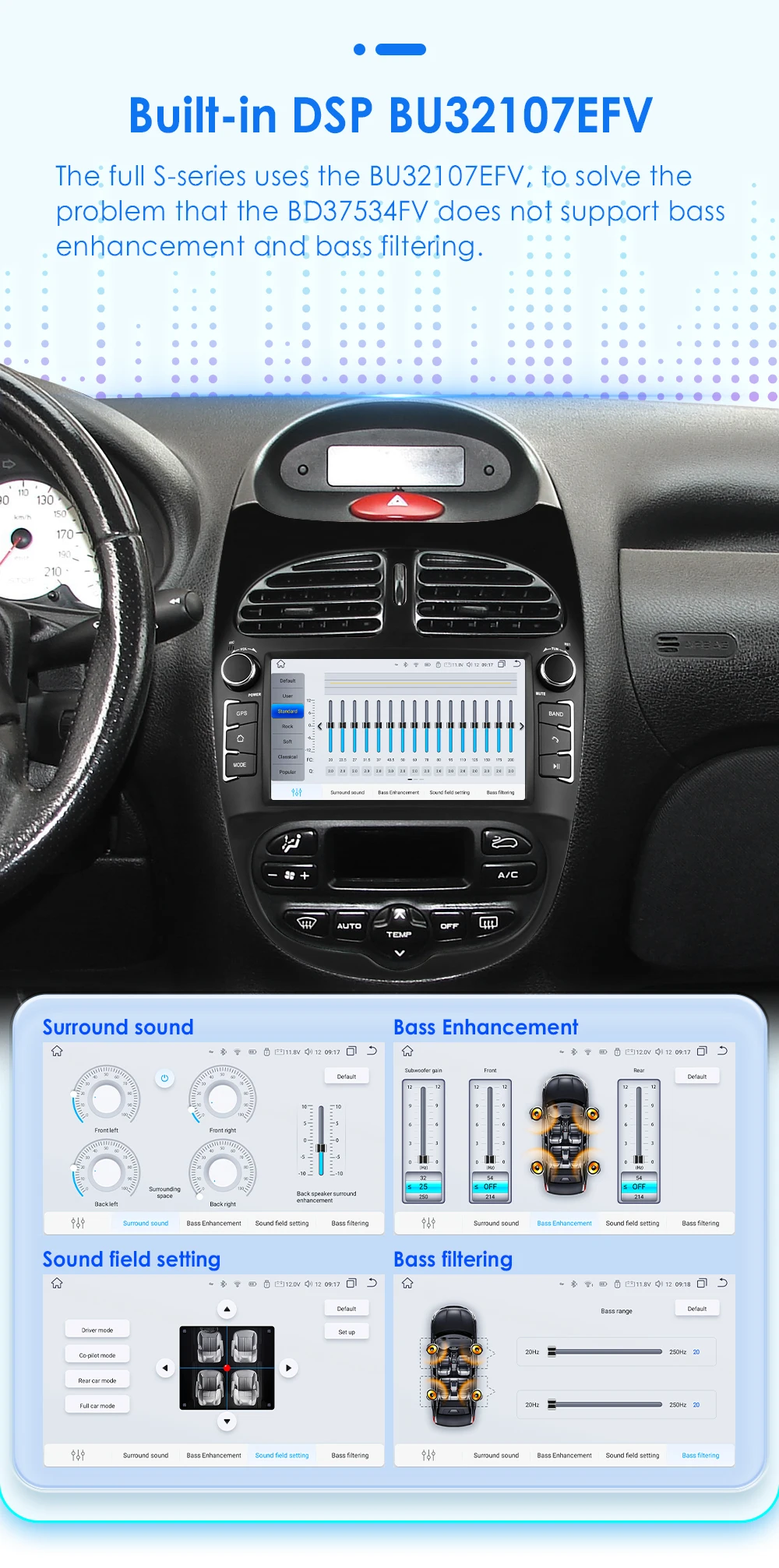
Built-in DSP BU32107EFV: We use BU32107EFV and BD37534FV DSP IC in different configurations products. The specifit difference please refer to the product configurations table.
Professional radio chip: Receive more stable radio station ,less radio noise, higher performance during driving. (We use 4745,TDA7708 and integrated radio IC in different configurations products, the specific different please refer to the products configuration table.)

Bluetooth 5.0 Dual Channel: Stable and long distance Bluetooth connection. Stable and long distance WIFI connection. (On its main interface can show "Model phone battery display")

Built-in 4G Network: Please enter the SIM card before turn on the device. Include the 4G card slot, and the 4G antenna!

Online Radio
with an internet data connection,you can listen to online channels with no noise interference compared to traditional radio ,allowing your journey to enjoy the ultimate listening experience.
Customize settings ,Supports 20 countries ,add to favorites, Quality broadcast.,we will open up more national radio staions ,thanks you for your supports.
Audiovisual Feast

1024*600 IPS Screen : Fine picture quality, true color, suiltable for more scenes, to meet your requirements

Button color changing function: Single Light color
AI Voice Car System Relax Driving( Need to buy separately)
AI Intelligent Assistant Pack
our AI intelligent assistant pack included the AI voice assistant Pro,for S series radio S3 ,S4,S5,S7,S8 will add these functions works: track tracking ,packing location and online radio functions.

Multiple Desktop Window Function (For example: GPS ,OBDII , DVR , TPMS etc. )

Navigation , Weather Display , Split Screen , Bluetooth phone, Radio functions ,One key to enter the secondary page, Customizable application add, delete, move.

Support Torque Pro ( OBD2 & Car ) : You can connect a PJ-908 Bluetooth OBD2 Scanner Tool to use this function. Note: this PJ-908 Bluetooth OBD2 scanner Tool is not included,you can contact us to buy it together.

DAB+ Box ( Needs to order separately) : This radio has been installed DAB player APP, just connect with a DAB+BOX via USB Port to use this DAB+ Function, support input digital radio Programs and touch operation.you can use unit's touch screen to search and change programs ,and this unit can supply power to the connected DAB+ BOX.

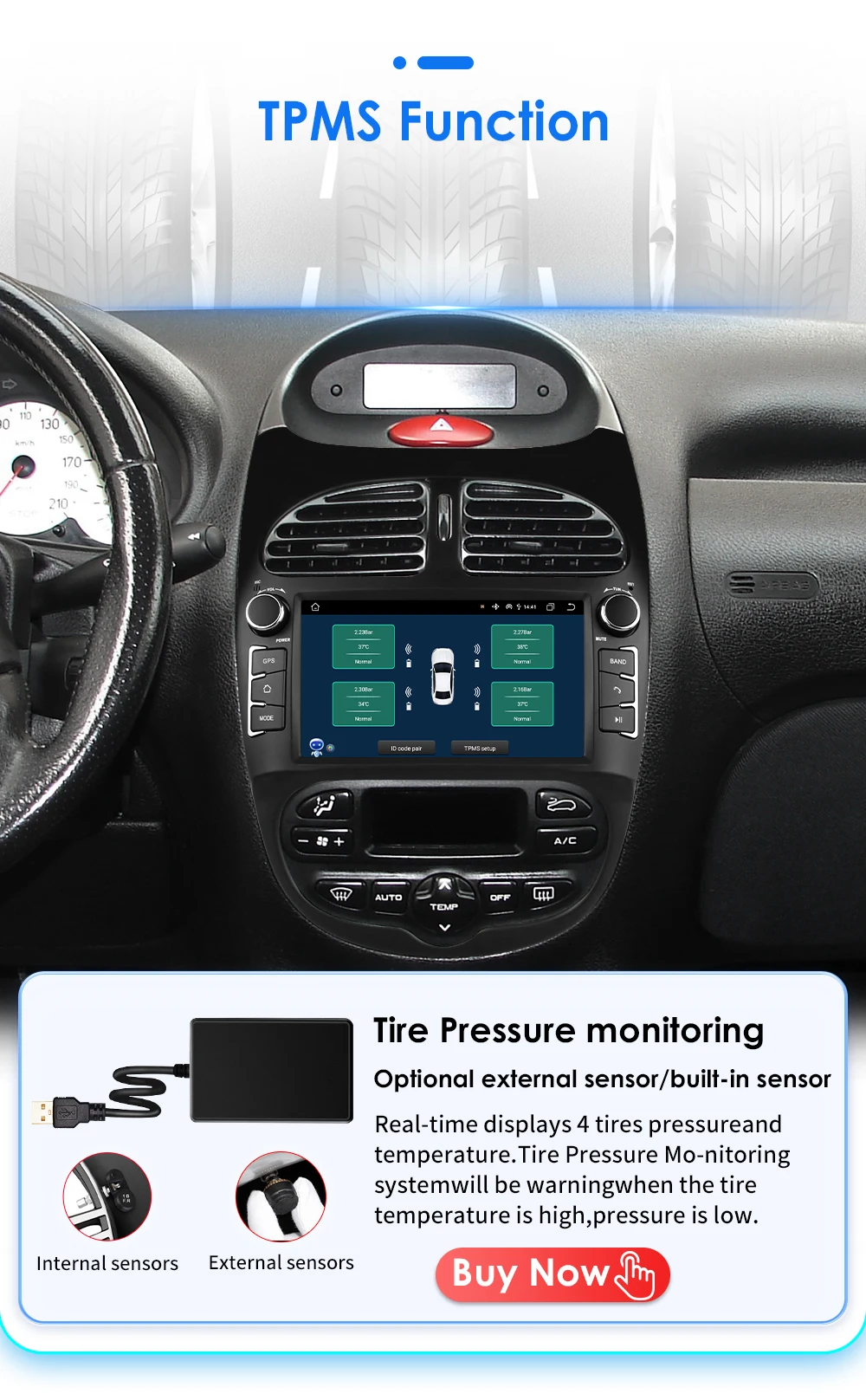
TPMS Function( Needs to order separately) : Tire Pressure Monitoring: Real-time displays 4 tires pressure and temperature,Tire Pressure Monitoring system will be warning when the tire temperature is high, pressure is low.
Small cooling fan ( Needs to order separately) : Note: the product comes standard without a fan , and the S series can be purchased as an option.

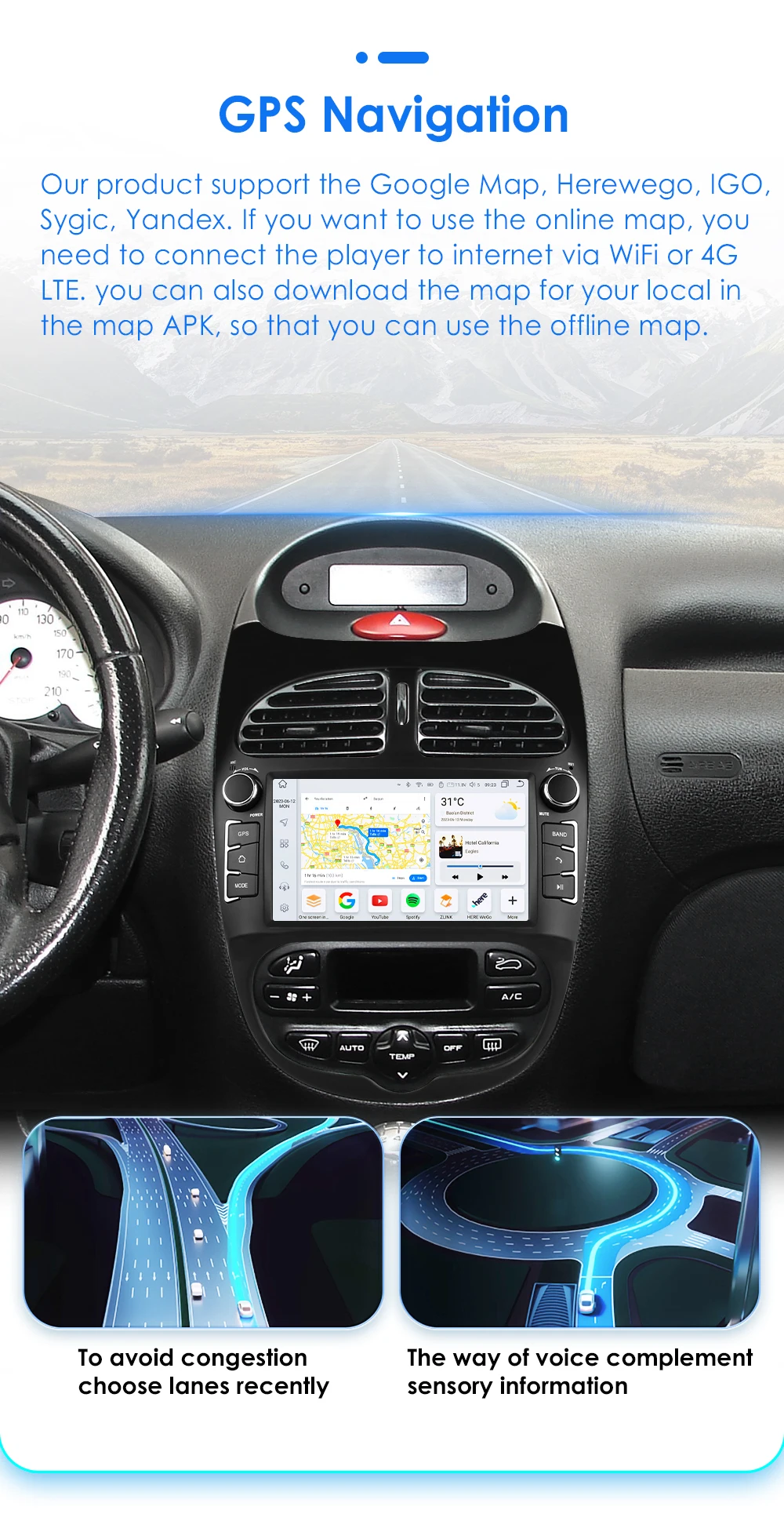
GPS Navigation: Supports Online and Off line Google map, Navitel, Waze, Herewego To avoid congestion choose lanes recently , the way of voice complement sensory information.
Optical and coaxial digital audio output : This function is only supported by S5/S6/S7/S8 series

Supports AV-OUT: AV OUT box ( Needs to order separately)

Support USB Connection:
External Memory: USB port up to 2TB,this unit can play the video and audio files from your external device.

Its Wire Diagram of each pin wire details
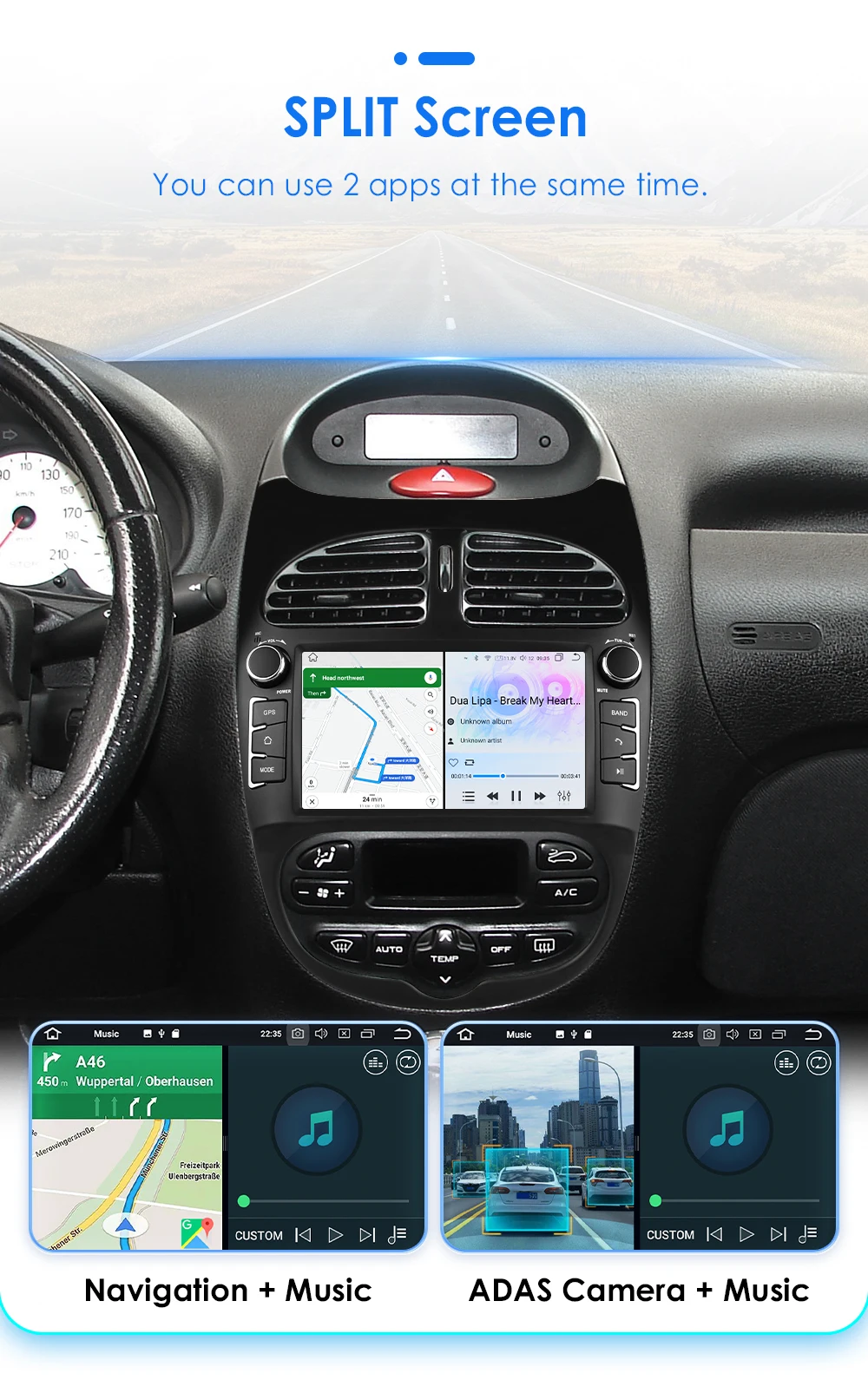
Split Screen : You can use 2 apps at the same time (such as: Navigation + Music , ADAS Camera + Music ,etc.)
PIP(Picture in Picture): the ability to watch video in small window on top of the screen, you car adjust the size.

HD 1080P ADAS DVR Camera(Needs to order separately) –connect with the USB port: LDWS(Lane Departure Warning Distance),FCWS(Forward Collision Warning Distance), 1080P(High Definition Car DVR).

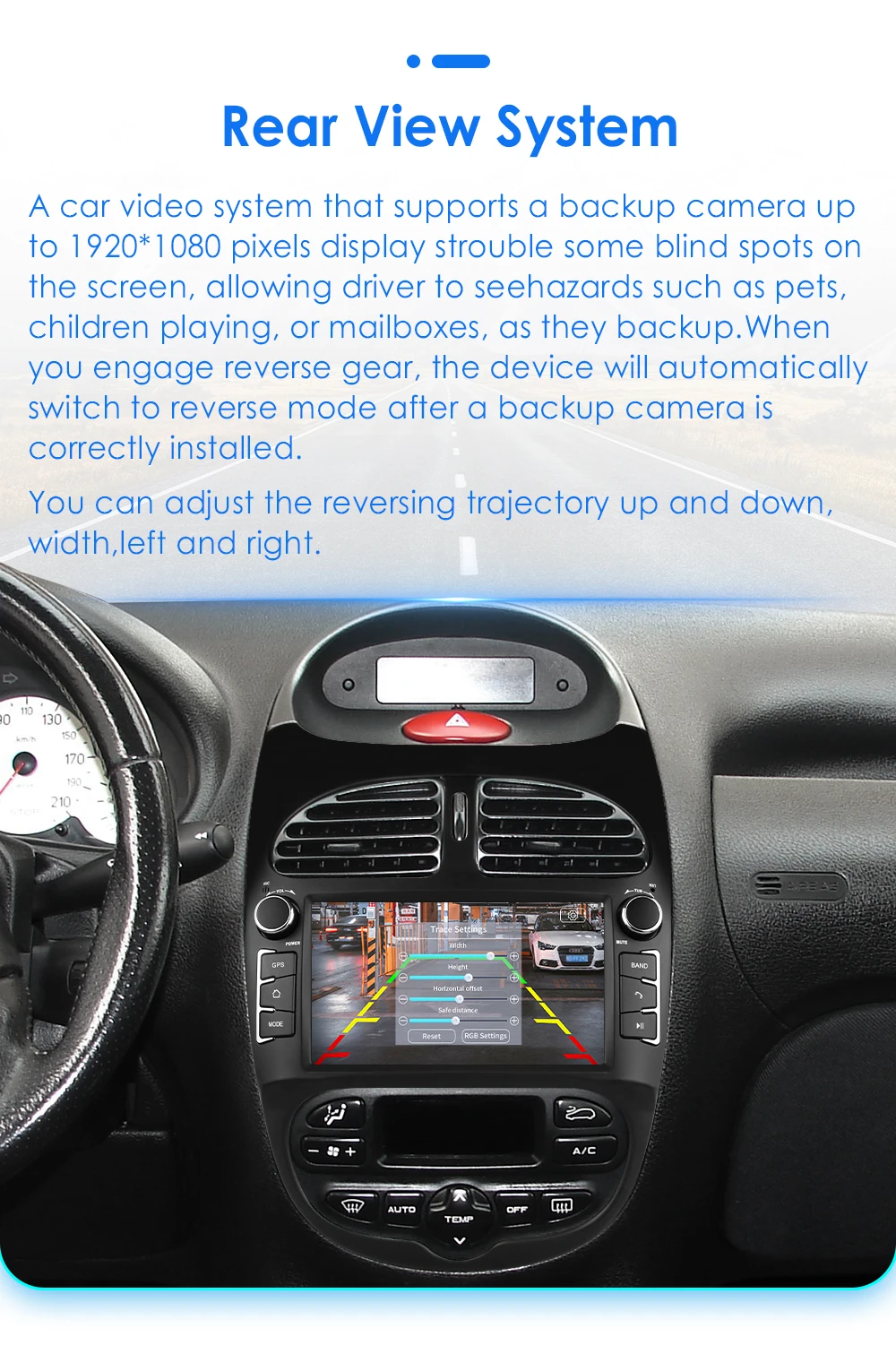
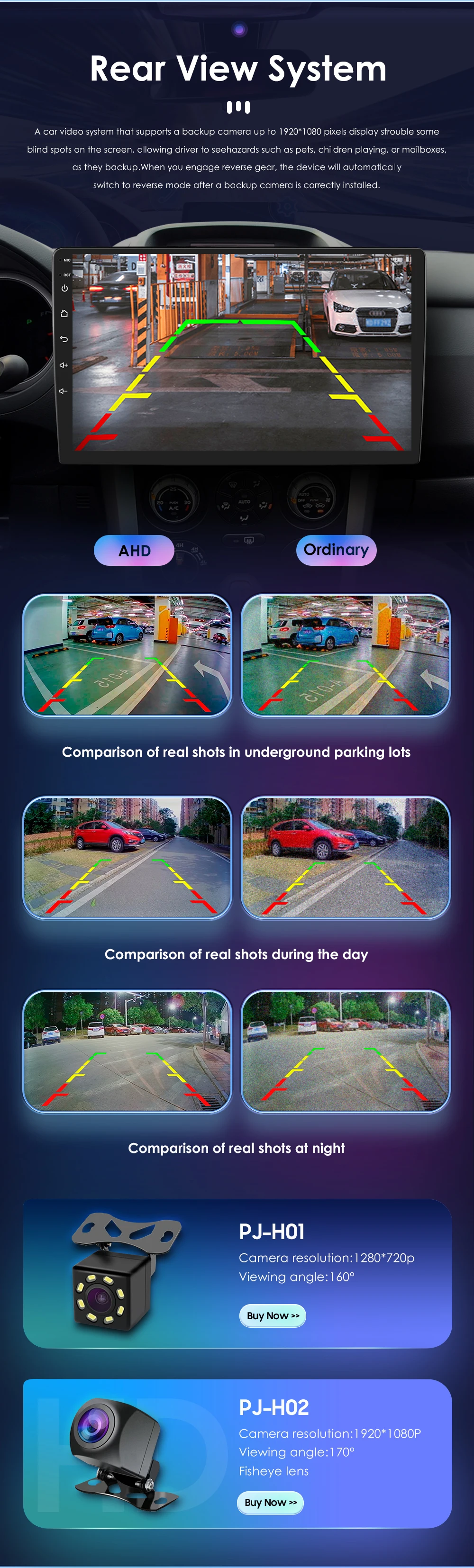
Rear View System(Rear View Camera needs to order separately): A car video system that supports a backup camera displays troublesome blind spots on a monitor , allowing a driver to see hazard such as pets ,children playing ,or mailboxes ,as they backup.

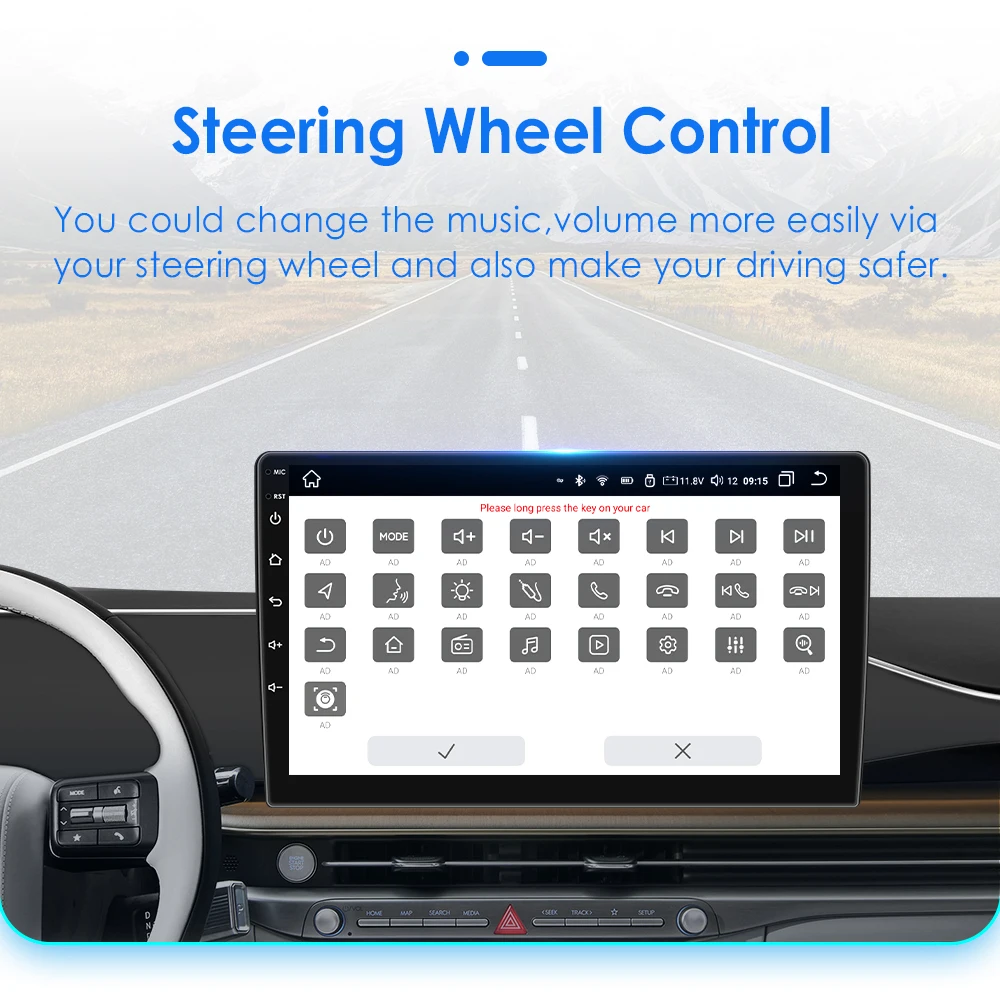
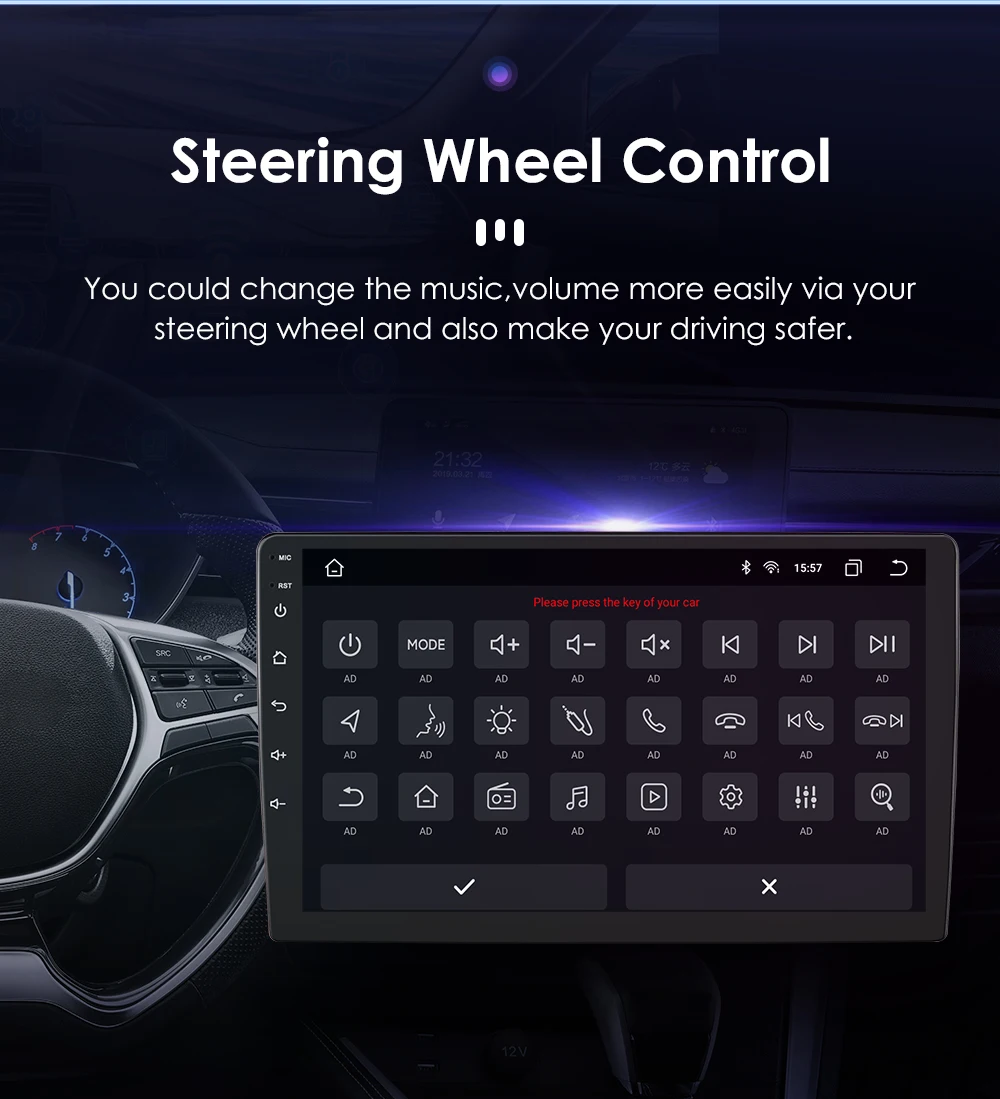
Steering Wheel Control: You could change the music ,volume more easily via your steering wheel and also make your driving safer.

Product Size: Please kindly to compare with your original radio's size before bidding ,if size's are different which cannot install.

Connector Pin Pictures:
(Notice: if the connector pin to install with the car wires' cable is not the same as them which needs to contact the after-sale service to order special wire for installing)
Standard Accessories: which ship with the head unit together (but please pay attension to the red words of accessory whether can get or not which depends on the item option you choose to buy it)
Common post-sales inquiries:
Q1.Why can't turn on the car radio ?
1>Please check the Voltage of car radio : 12V
2>When you test this car radio,you can combine the red and yellow wires and connect them to the positive side of the power supply.Black line to negative power supply.
3>Replace the same type of insurance to test the car radio.
Note: Please must use our power cables to connect our car radio,it is not possible to insert the original car plug directly into our machine.
Q2: How to connect the rear view camera?
A:1)Red cable @ is connected to the backup light "+
2) black cable @ is connected to the backup light "_"
3)The reversing detection cable @ Brown color is connected to the red cable @ which extending from the video input cable
4) cable does nof need fo be connected

Q3.Why the car radio will show "No Signal" when we reversing?
Please make sure you have connected the camera AV cable to the CAM VIN cable.
HC series product only support 720P camera or CVBS camera, if you buy a AHD 1080P camera, please replace it to 720P.
For S series, please check if the backcar mode is correct. Following Car Settings-Backcar-Backcar mode. You can try to set to AHD720P25 or AHD1080P25.
Q4:Why does the steering wheel control not work?
A:please check the 8pin interface of canbus cable connected first and then choose canbus type,the steering wheel controls will work.If you do not know the canbus model, please contact customer service.(after you make order,we will send the wire connect picture and protocol setting step to you)
Q5:How to connect wireless Carplay and Android Auto?
A:For CARPLAY: First, make sure that the Siri function on the phone is turned on. Connect the phone Bluetooth to the machine Bluetooth, and then open the Carplay related apps on the machine (such as ZLINK, TLINK, Carletter). The phone will prompt to authorize CARPLAY. Click OK to authorize. If the operation is incorrect, clear the Bluetooth matching record and try again.
For Andriod Auto:After connecting the mobile phone Bluetooth to the machine Bluetooth, open the Carplay related apps on the machine (such as ZLINK, TLINK, and Carletter), and the phone will prompt to authorize AUTO. Click OK to authorize.
Q6.How to connect wired Carplay and Android Auto?
A:Please use your original data cable to connect the phone to the 4 PIN USB cable, then turn on the Carplay/Android Auto function on your phone and the "AutoLink" or "ZLINK5" icon on the device to connect.
Q7.Why can't search FM?
1>: No radio antenna inserted;
2>: Please check if the radio antenna is plugged in. Please insert more antennas several times to make it well contacted;
3>: The signal of your location is not good. Please go to a better place to test again
4>: The radio antenna on the car is broken/no effect; please replace the radio antenna and test again.
Q8.How to change the Boot Logo ?( only S series support this function )
A:To avoid disturbing the right of automobile company, we do not built-in the car logo in our player. If buyer want to set the personalized picture as the boot logo, please follow the steps:
1>. If your player is 1280*720 screen, you need to rotate the picture 90 degree, and cut it into 720*1280 size, transform the picture to .BMP format.
2>. If your player is 1024*600 screen, you need to cut the picture to 1024*600 size, transform the picture to .BMP format.
3>. if you do not know how to customized the picture, you can send the original picture to us and we will help to customized for you.
4>. copy the picture into your Udisk root path, and then connect Udisk to the player. Following steps: Car Settings-Display-Boot Logo-then you can see your picture and select it- click update logo
Q9: Need I pay import tax?
A: Import duties, VAT taxes and other local charges are not included in the item price or shipping charges. These charges are the buyer's responsibility. Please visit the rule of Shop Around World http://activities.Shop Around World.com/adcms/help-Shop Around World-com/customs_related_issues.php Please check with your country's customs website about import policy and if there is any additional cost prior to buying. If the buyers have better method to help clear the customs, please contact us. For customers from EU, you can choose seller's shipping method for tax prepaid service.

























































































































































































Reviews
Clear filtersThere are no reviews yet.